Your home came with a manual you never got.
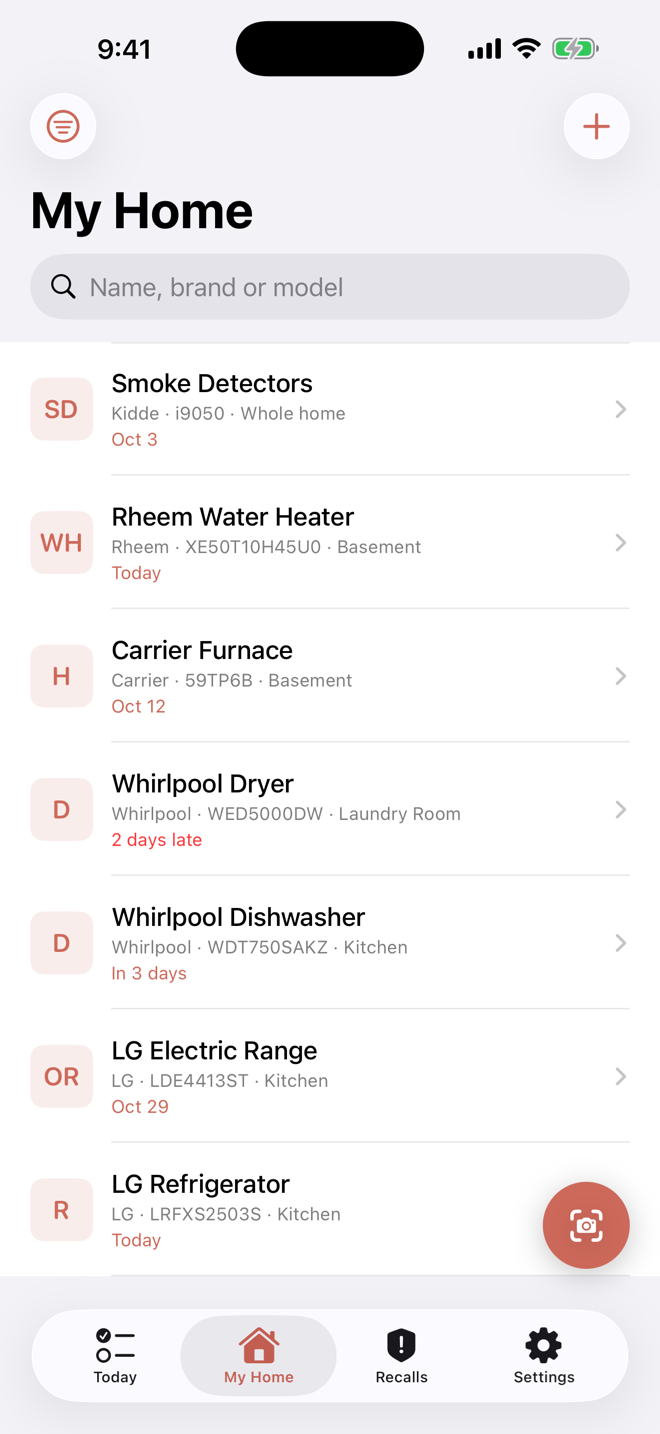
Photograph an appliance's nameplate. Hearth reads the model, builds a maintenance schedule from it, and tells you before something is due — not after it breaks.
Download on theApp StoreFor iOS 16 and later. No ads, no trackers.
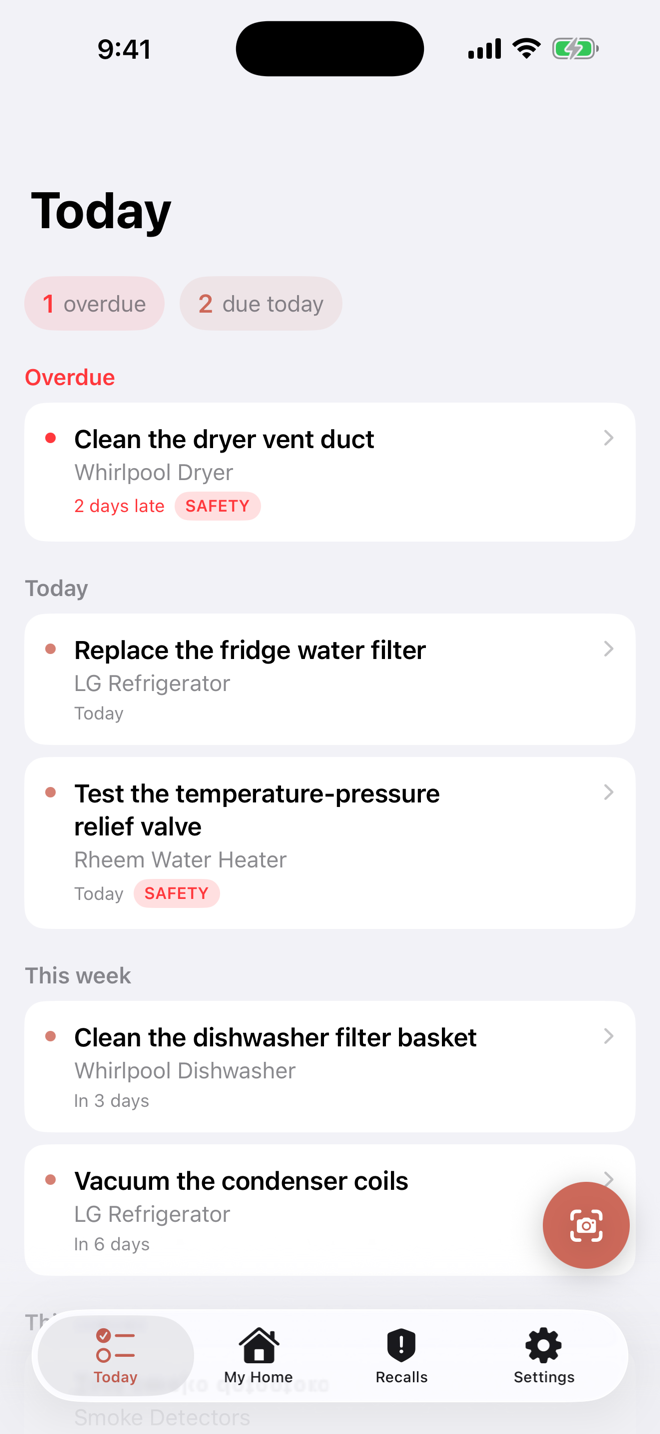
One photo, then it knows what the thing needs.
Every appliance wears out on its own schedule. Hearth reads the model off the plate on the back of the unit and looks up what that specific thing actually needs — the real interval, not a generic checklist.
Point at the nameplate
Brand, model and serial, read from one photo. No typing in sixteen characters off a sticker behind the dryer.
Get a real schedule
Hearth works out what the appliance is and builds tasks from how that kind of equipment is actually serviced.
Be told in time
Reminders arrive before the filter clogs or the water heater needs flushing. Quiet hours are yours to set.
What's inside
A maintenance schedule, the history behind it, and the paperwork for everything you own — in one place.
A passport for every appliance
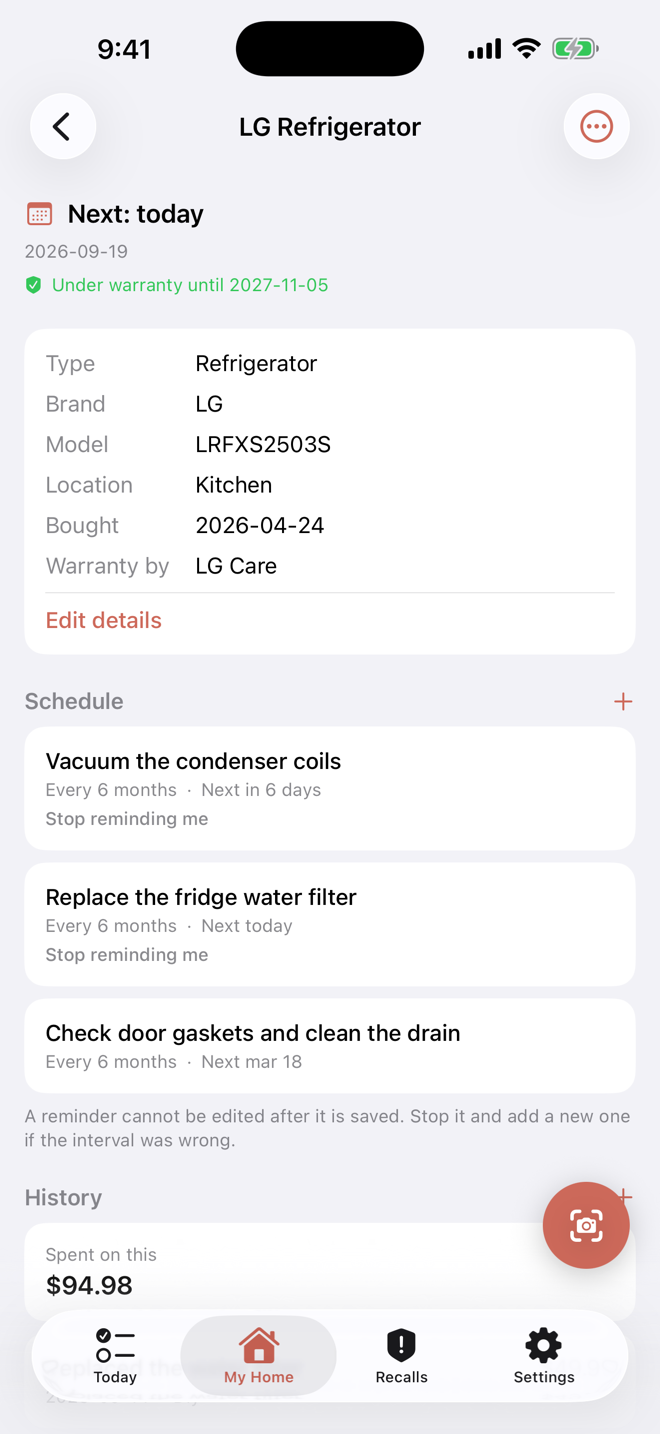
Brand, model, serial, location, warranty status and service history, attached to the thing they belong to. When a part fails, you already know whether the warranty covers it.
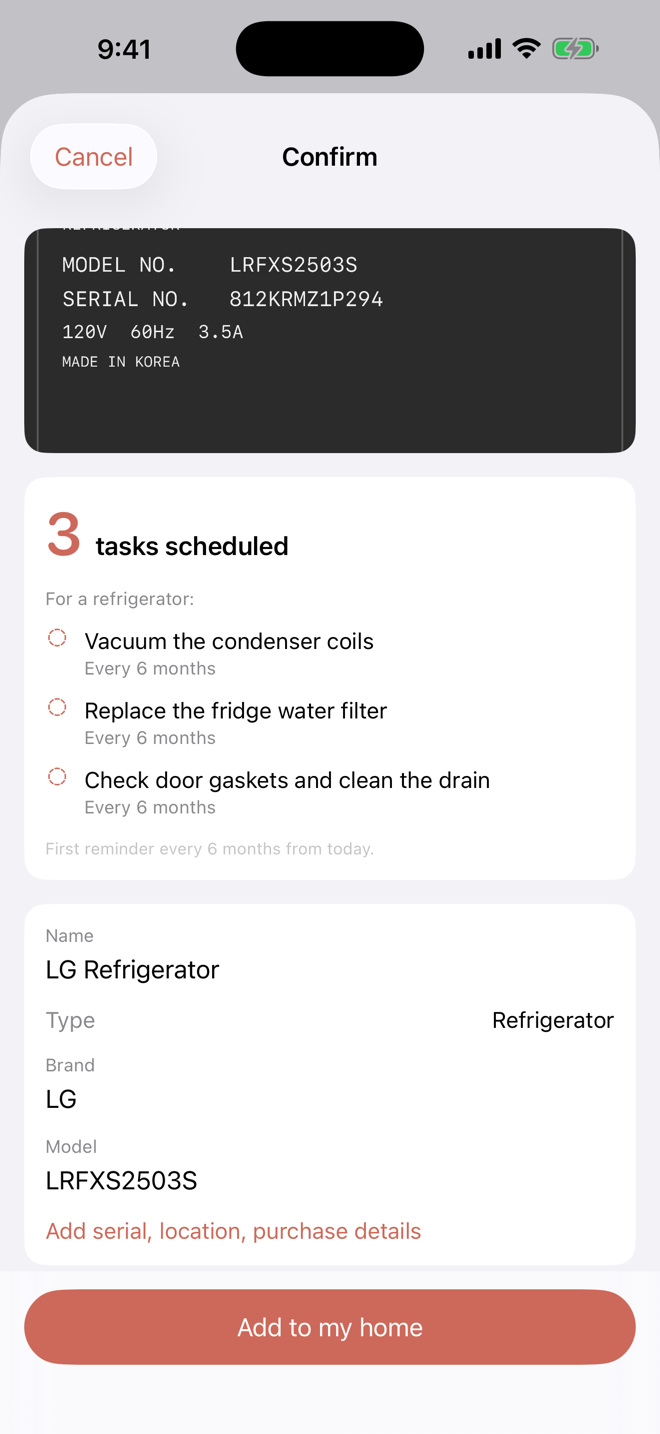
Reads the plate, not a checklist
Brand, model and serial come off the nameplate in one photo. Hearth looks up what that specific model actually needs — the interval the manufacturer specifies, not the one from a generic list taped inside a cupboard door.
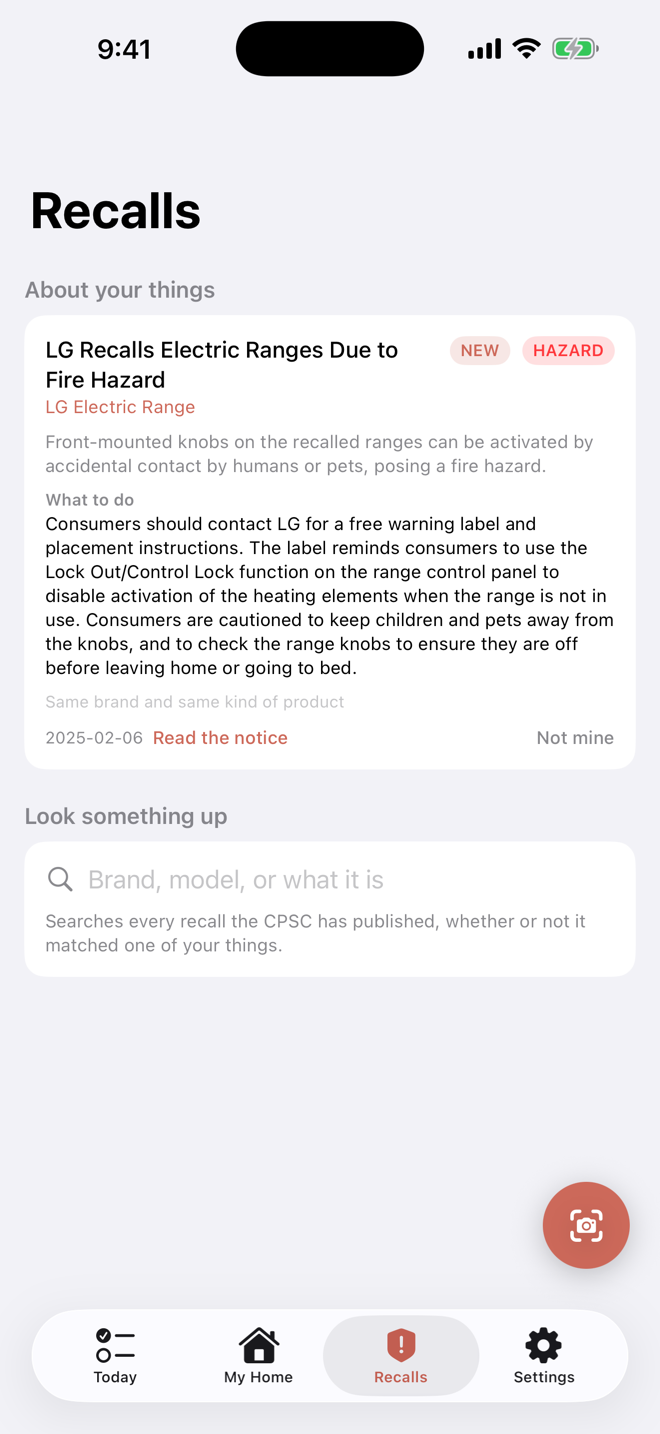
Recalls, checked for you
Search any brand or model against the Consumer Product Safety Commission's recall database. Hearth also checks what you already own, every night, and tells you when one turns up.
Keep the proof
Log what you did, what it cost and who did it. Photos of nameplates, receipts and serials stay with the appliance. Useful when you sell the house, file a claim, or argue about a warranty.
Private by default
Sign in with Apple. No adverts, no trackers, no data brokers. Deleting your account removes everything, photos included, in one step.
- Sign in with Apple
- No advertising SDKs
- No third-party analytics
- One-tap account deletion